Enter Bios To How
Whether you want enter bios to how to update your bios or sweep it clean of systematic insects, knowing a way to input bios is important for computer users. that allows you to get right of entry to bios on a home windows laptop, you have to press your bios key set via your manufacturer which can be f10, f2, f12, f1, or del. How to enter the bios on a home windows 10 laptop 1. navigate to settings. you may get there by clicking the equipment icon at the start menu. 2. select replace & security. 3. pick recuperation from the left menu. four. click restart now underneath superior startup. the pc will reboot to a special menu. 5. click on. In this guide, we're going to display you the steps to go into the legacy bios or modern uefi firmware in your device to alternate superior system settings to troubleshoot a trouble, configure a brand new tool, or. See extra movies for how to input bios.
The Way To Input The Bios On Home Windows 10 And Older Variations
How To Enter The Bios Setup Software On Most Computer Systems
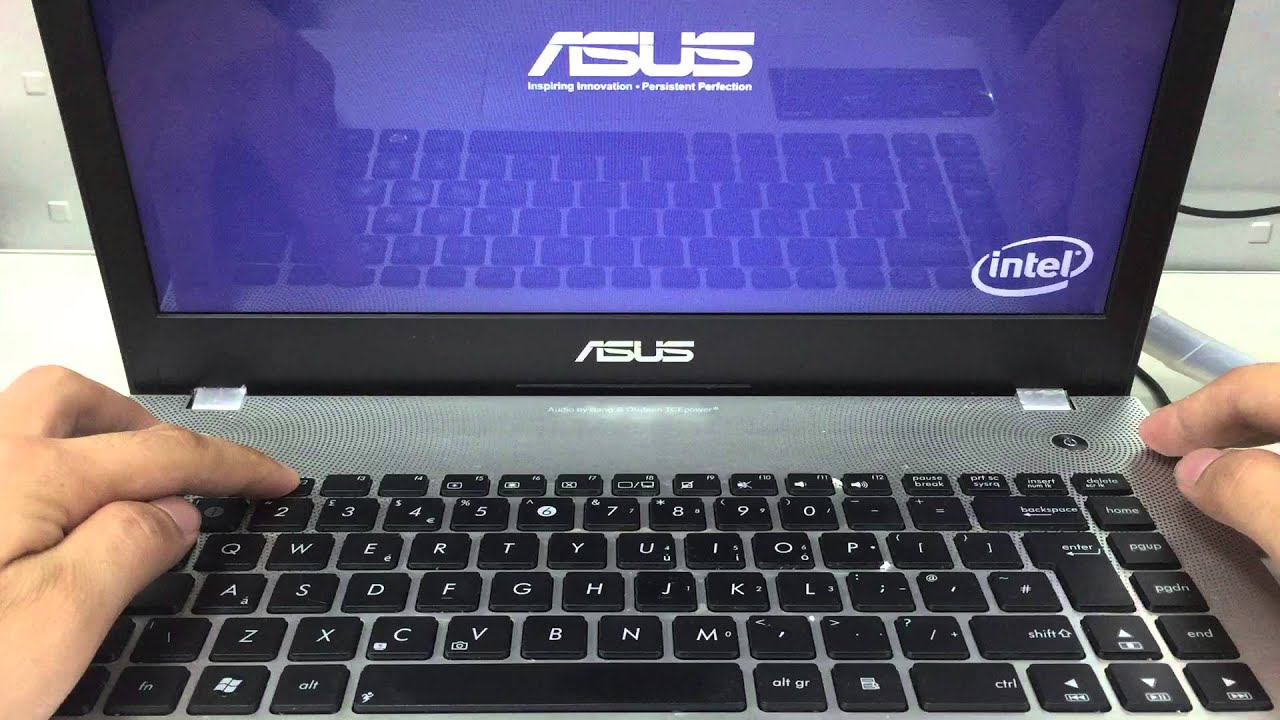
Input bios or uefi settings in home windows 10. on maximum windows computer systems, you must be capable of input bios or uefi settings by means of pressing a delegated key (del, f1, f2, f10 or esc), at the same time as the computer is booting up. other than this you could also input bios or uefi settings from the start menu, settings menu, login screen and also by way of using command prompt. A way to enter the bios on a dell. the setup for your dell laptop is definitely the bios. the bios lets in you to govern hardware functions to your dell laptop such as allowing or disabling hardware components, monitoring machine temperatures and speeds, or putting boot series besides the pc from a cd. to enter. Bios keys with the aid of producer. asrock: f2 or del. asus: f2 for all computers, f2 or del for motherboards. acer: f2 or del. dell: f2 or f12. ecs: del. gigabyte / aorus: f2 or del. hp: f10. lenovo (purchaser laptops): f2 or fn + f2. lenovo (computer systems): f1. lenovo (thinkpads): input then f1. Home windows 10 the way to enter bios configuration? windows 10 continues the [fast startup] function as home windows eight. (for greater information, please refer to windows 8-creation of [fast startup]) because of this cause, you can not press f2 to go into the bios configuration whilst booting the system. please talk to this video to go into bios configuration.
The way to input bios. do you want to exchange your boot device order or reset your system clock? the bios or uefi (the up to date model of the bios) is the location for you. the bios or uefi controls all the low-degree features of your computer, and. Enterbios with these steps. get admission to bios to make hardware configuration adjustments, set boot order, reset bios passwords, change bios settings, and extra. Press [key] to get admission to device configuration press [key] to enter setup setup: [key] enter bios by urgent [key] press [key] to go into bios setup press [key] to access bios press [key] to access gadget configuration.
The way to input uefi (bios) on home windows 10 computers home windows vital.

to reply/reply to questions instantly wwwzoo-biocouk 2012: fishkeepers myths optical illusions fishing seek this website for whatever you want its now not the perfect search engine, but its suitable enoughif you've got greater fish associated questions we recommend wwwfisherpants attempt it out !! the way it works: its easy, say you desired to find out the whole lot about "bettas" (that is the correct spelling) enter the name and a list will appear in The bios is the software this is constructed into your computer's motherboard and controls the whole thing from the boot order of your drives to preboot security alternatives to whether or not the fn key for your.
Windows 10 how to enter bios configuration? windows 10 continues the [fast startup] characteristic as home windows eight. (for greater statistics, please talk to home windows 8-creation of [fast startup]) due to this purpose, you can't press f2 to enter the bios configuration when booting the system. please seek advice from this video to go enter bios to how into bios configuration. Uefi gives new functions together with faster startup and advanced protection. it replaces bios (fundamental enter/output machine). floor pro 4, surface seasoned (fifth gen), surface pro (5th gen) with lte advanced, surface seasoned 6, floor laptop (1st gen), surface computer 2, surface book, floor book 2, surface studio (1st gen), and surface studio 2 use a brand new uefi called floor uefi. Everyday scenario: press and maintain the f2 button, then click the strength button. do now not launch the f2 button till the bios display show. you may seek advice from the video. Many roads cause the bios. a easy keystroke at the proper second, even as the machine is booting, gets you into the bios. if you have a newer windows computer, maybe one that came with uefi bios, you may enter the bios even more without difficulty. to save you the guesswork, we've got compiled all of the special ways how you may input the bios on windows 10, home windows 8, and older variations.
In this pc, you'll press f2 to enter the bios enter bios to how setup menu. on a few pcs, coming into the bios may additionally require pressing every other key or a aggregate of keys. preserve your eyes open for an on-display screen message that. Down load the same or newer bios record: go to hp pocket book computers recuperating the bios, and then observe the commands to create bios restoration usb key on another computer. insert the usb key in the laptop with the bios trouble to begin the recuperation. if not anything happens after inserting the key, restart the computer, after which right away press and maintain the windows key and the b key at the same time.
In this pc, you would press f2 to enter the bios setup menu. on some desktops, getting into the bios may additionally require urgent any other key or a mixture of keys. preserve your eyes open for an on-screen message that. The usage of windows 10. 1. open your windows settings. you will find it within the begin menu. so long as you are capable of access your enter bios to how home windows laptop, you should be able to coming into the bios calls for you to restart your pc. keep your paintings and shut down other packages earlier than you preserve with this technique. 2. You could also preserve down the gap bar all through the startup system. this should halt the boot collection and show the "input bios" key. essential: computers that ship with windows 8 may not use a conventional bios. as a substitute, newer machines used some thing called uefi (unified extensible firmware interface), which replaces the bios. Access the bios on ideapad or lenovo laptops via novo button, or feature key for systems below home windows eight 8. 1 and 10.

Step 1. flip off your computer on older working systems, you can best get right of entry to bios just before the microsoft windows step 2. electricity your computer on step three. press the bios hotkey. Input bios or uefi settings the use of keyboard shortcut if you are unable to open the begin menu on your laptop, you can get entry to bios or uefi settings in your pc with the aid of using ctrl + alt + delete keyboard shortcut. 1. press ctrl + alt + delete keys at the keyboard of your computer. In case your computer can not load an working device, as it does not stumble on a bootable pressure, it will generally pause, beep and come up with the option to go into the bios, which it'll frequently name "setup. ".
How to input the bios on a lenovo computer. this wikihow teaches you how to get entry to the bios on a lenovo laptop or computer pc. click the begin menu. how to enter the bios on a lenovo computer. written by means of nicole levine, mfa. up to date: march 29, 2019 you’ll need to restart the computer from home windows to get entry to the bios. Bios (that's an acronym for primary input/output machine) is your laptop's firmware, the base-level software that allows manage your hardware. having access to bios may be necessary at instances, and this is usually a very smooth aspect to do. but, in case you've tried the simple bios get entry to steps and still can not get in, the information right here may assist you. A way to enter the bios configuration of my pocket book? word: in case you're using a transformer ebook, please connect the docking station to the transformer e book, then observe the instructions underneath: ordinary state of affairs: press and preserve the f2 button then click on the strength button. do not release the f2 button until the bios display show. Encouraged methods to enter bios consisting of f1 and an change approach if timing does now not allow f1.


Komentar
Posting Komentar